Automated trading platform for rules-based investing
Automated trading means software places your trades for you when your rules say so. On Tactfolio, a strategy you build runs by itself, on paper or in your own Alpaca account. It trades only the money you give it, and it never borrows or sells short.
- You write the rules once. Tactfolio checks them every trading day, shortly before the US market closes.
- Your strategy trades only when its rules call for a change.
- In Alpaca, it trades only its own starting balance. It never touches anything else in your account.
- You get an email after each close with what changed.
- It runs on daily prices of US stocks and ETFs, long only, through Alpaca only. Hyperliquid crypto perps are backtest and paper or testnet only.
Open the builderFree while we build. Look around without an account.
What is automated trading?#
Automated trading is when software sends orders to your broker without you clicking buy or sell. You decide the rules ahead of time. The software follows them.
Automated trading is not the same as a robo-adviser. A robo-adviser asks about your goals, then picks and manages a portfolio for you. Tactfolio does not pick anything. You write the rules, and Tactfolio runs them.
| Robo-adviser | Tactfolio automated trading | |
|---|---|---|
| Who picks the portfolio | The service, from your answers to a quiz | You, with your own rules |
| Can you see the exact rules | Usually not | Yes, every block |
| Where your money is | In an account the service manages | In your own Alpaca account |
| Advice | Yes, it is an adviser | No, it is a tool |
How a strategy runs, day by day#
Here is what happens once you start a strategy in Trade.
- About 15 minutes before the US close, Tactfolio reads the latest prices and checks your rules.
- If the rules call for a change, it places the orders. Sells go first, then buys. If nothing needs to change, it does nothing.
- After the close, it records what the strategy holds, counts splits and dividends, and emails you a summary.
- The Live tab in Trade shows the strategy’s value, its drawdown, what it holds, and every trade.
How often a strategy trades is up to its rules. A monthly strategy changes holdings only at the end of each month. Trading near the close keeps live results close to the backtest, which trades at the close too.
What happens to the rest of your Alpaca account#
Nothing. You give each strategy a starting balance, as small as $1. The strategy keeps its own record of its cash, orders, and shares. It never sells your other holdings to raise money, and it never trades more than it has.
When the strategy grows, it rebalances on its new value. Say you start with $10,000 and it gains 3%. It now rebalances $10,300, not $10,000.
Built-in limits#
These limits are part of how Tactfolio trades. You can’t turn them off.
- No margin. A strategy never borrows money.
- No short selling. A strategy only holds stocks, funds, or cash. It can hold leveraged and inverse ETFs, like any other fund.
- Your own keys. You connect Alpaca with your own API keys. Your money stays with Alpaca, not with Tactfolio.
- Daily for stocks. Stock rules are checked once a trading day. Tactfolio does not trade stocks during the day.
- US stocks and ETFs for real money. Real-money strategies hold US-listed stocks and ETFs. Strategies that hold Hyperliquid crypto perps can check their rules up to once an hour, but they are backtest and paper or testnet only.
Leveraged and inverse ETFs reset daily. Held for longer, their returns can differ a lot from the multiple in their name.
Start on paper first#
Every strategy can run in a paper account before it touches real money. A paper account follows the same rules and sends the same daily email, with pretend money at real prices. When you are happy with it, connect Alpaca and run the same strategy there.
What Tactfolio does and does not do#
| Tactfolio does | Tactfolio does not |
|---|---|
| Run your strategy every trading day, near the close | Trade stocks during the day, or trade at high speed |
| Trade only the starting balance you give it | Touch your other positions in Alpaca |
| Run on paper, or in your own Alpaca account | Work with any broker other than Alpaca |
| Backtest Hyperliquid crypto perps, then run them on paper or testnet | Trade crypto with real money |
| Email you a summary after each close | Give advice or manage money for you |
| Hold leveraged and inverse ETFs like any other fund | Sell short or borrow on margin |
Try it on Tactfolio#
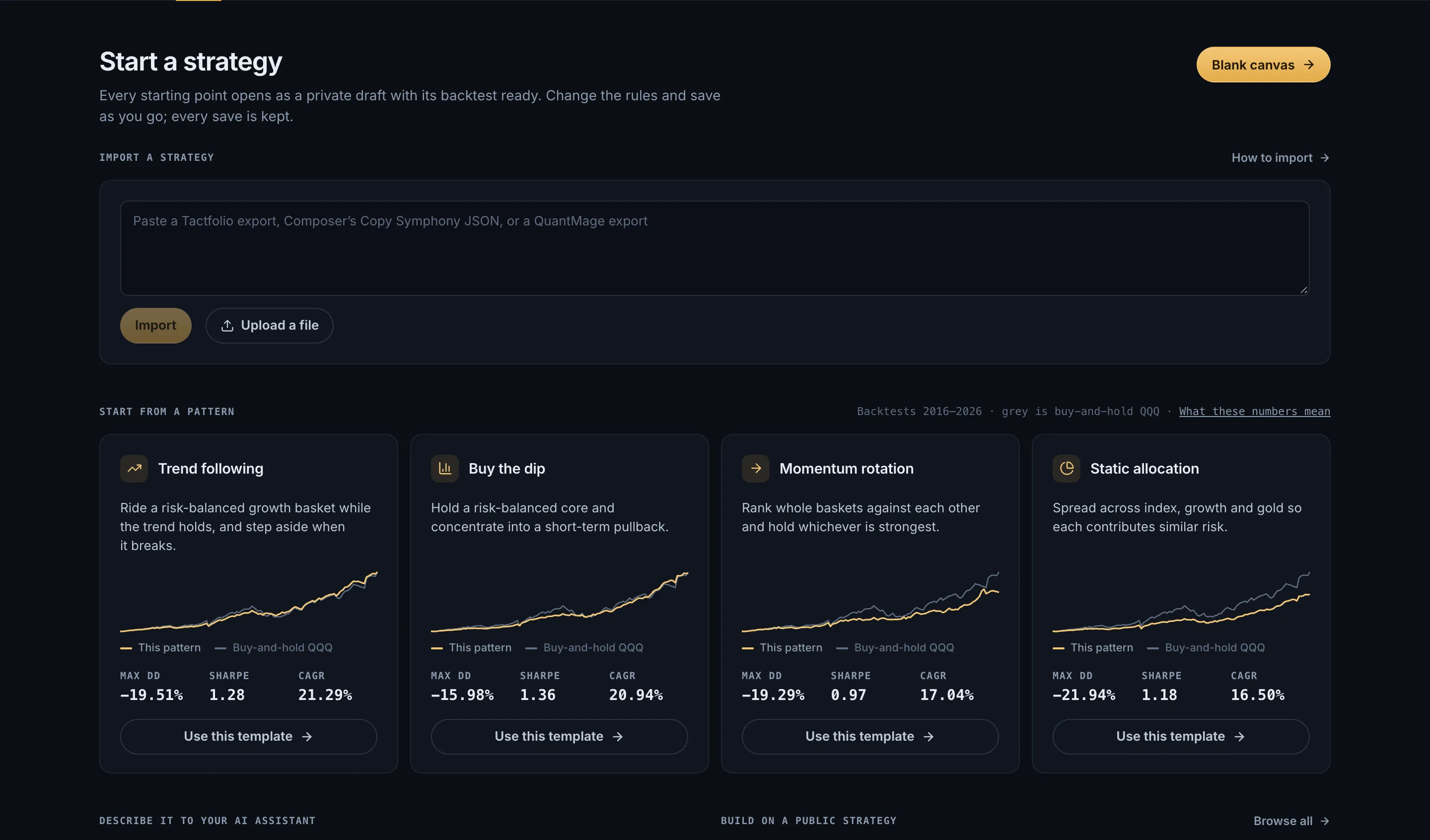
Open the builder, pick a starter pattern, and save your copy. Then open Trade and start it on paper. If you want to build the rules from scratch first, see how our quant trading platform builds and tests them.
Open the builderFree while we build. Look around without an account.
Keep learning#
- How to automate an ETF rotation strategy: a worked example from rule to running account.
- Sector rotation and tactical asset allocation: rules that suit monthly runs.
- Portfolio rebalancing: what happens on each run day.
- Tactfolio vs Option Alpha and Tactfolio vs TrendSpider: other automation tools, side by side.
- Free trading calculators: tools to check a plan before it runs.
Common questions#
Do I need to keep my computer on?#
No. Your strategy runs on Tactfolio’s servers. You can close the app, and it still checks its rules every trading day.
Is automated trading safe?#
Automation can’t remove market risk. A strategy can lose money, and real orders can fill at worse prices than a backtest. Start on paper, give a strategy only money you can afford to lose, and read its daily emails.
Which brokers does Tactfolio work with?#
Only Alpaca, with paper or live accounts. You connect it with your own API keys. Paper accounts in Trade need no broker at all.
Can I run more than one strategy?#
Each account in Trade runs one strategy. To run several ideas together, combine them inside one strategy with Strategy blocks. You can also keep more than one paper account.
Does Tactfolio cost anything?#
No. Everything is free while we build. Pricing comes with live trading.
Sources
- Investor Bulletin: Robo-Advisers, U.S. Securities and Exchange Commission, Investor.gov, accessed October 16, 2026